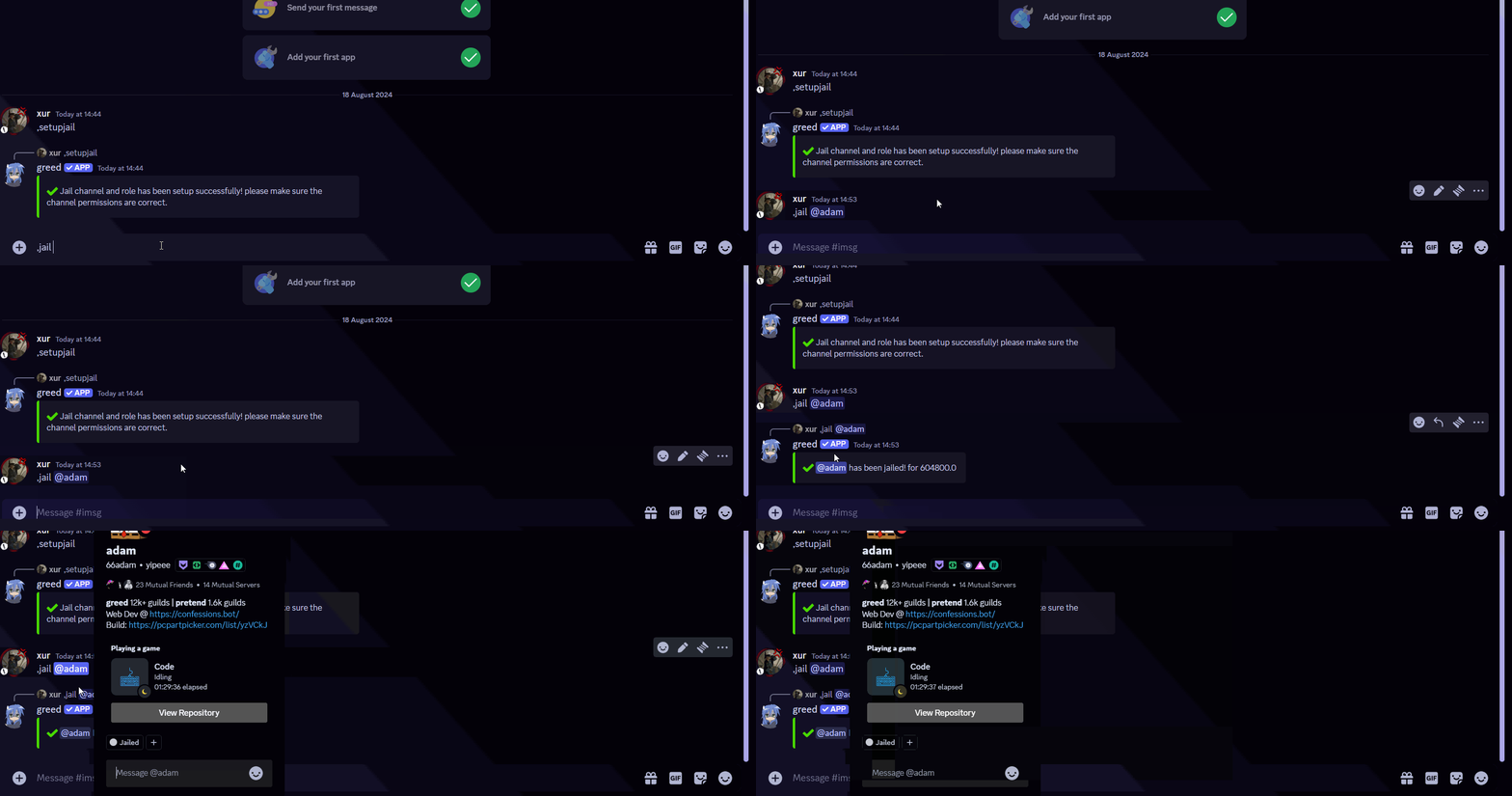
Jail setup
Automatically create a channel named ‘jail.’ This channel will serve as a restricted area for users who violate server rules.
How to jail a user
Learn how to enforce server rules and restrict users by setting up a jail system. Automatically create a channel where rule violators will be confined.
Setting up jail
Head over to your Discord Server
Click on the Discord Server where you want to set up the jail system using your bot, Greed.

Jailing users
Configuring Jail
- Run the command
,jail <user>for example,jail @x6urin any channel. - This command will automatically mutes the user in every channel besides
jailfor the user.