Welcome setup
Create, edit and setup your welcome message & channels and truly customise
it to your needs making it unique to yourself.
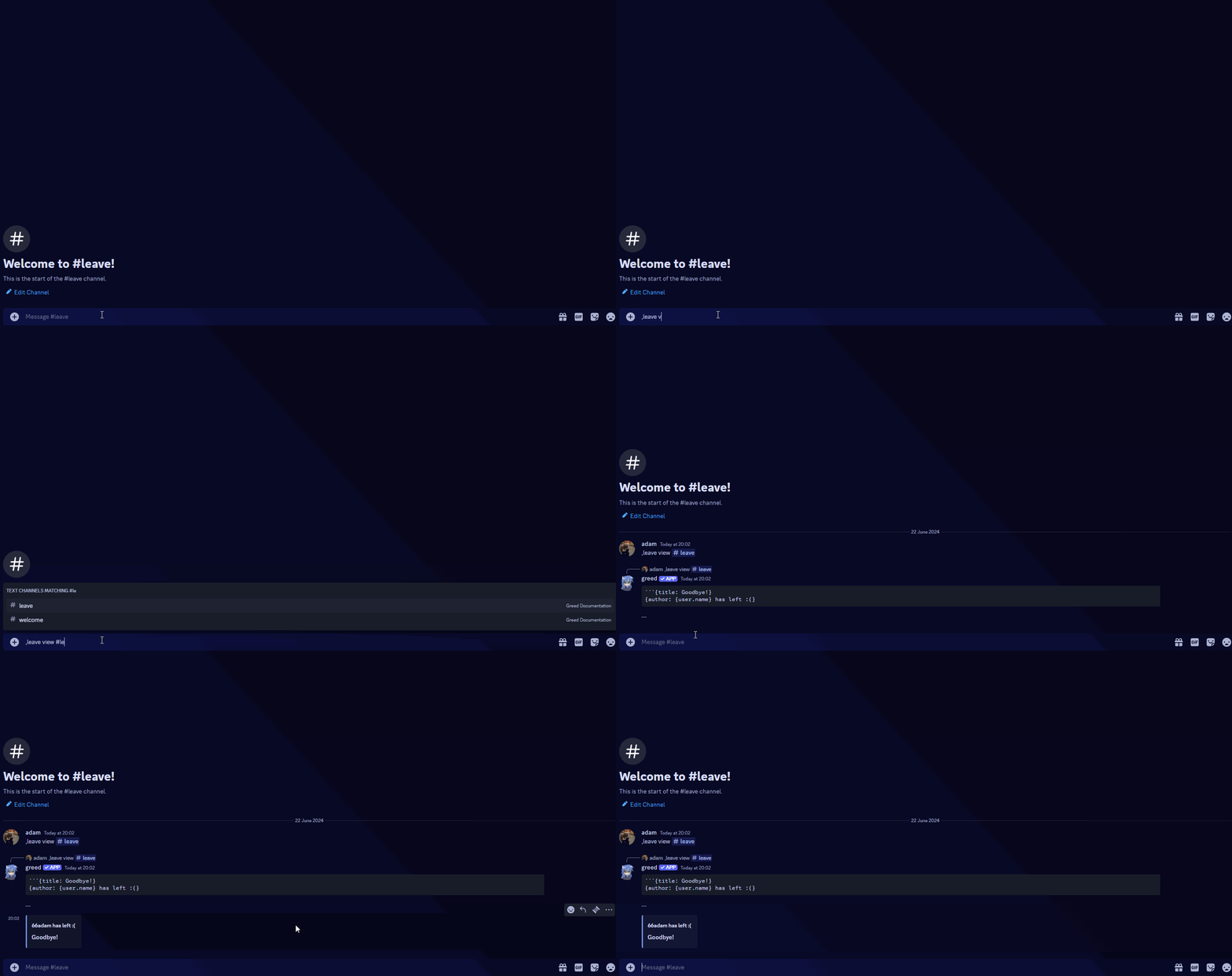
Leave setup
Create, edit and setup your leave message & channels and truly customise it
to your needs making it unique to yourself.
Creating a leave channel
Head over to your Discord Server
Click on the Discord Server that you would like to setup leave for using
greed.
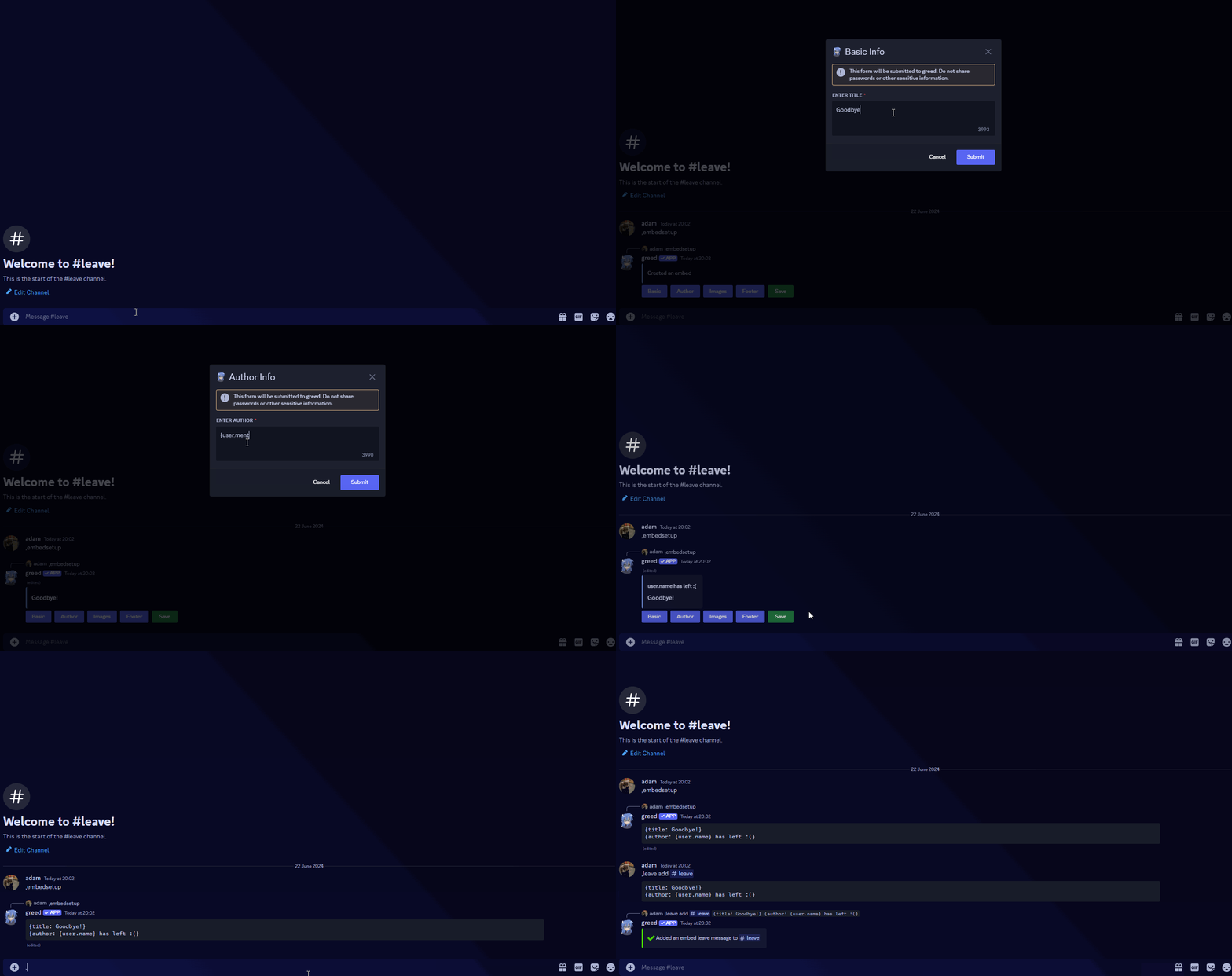
Creating an embed and setting the leave channel
Creating the leave embed
Run the
,embedsetup command while to create the leave embed which you
can use variables with, for more information regarding variables:
/configuration/variables